Squarespace vs Wix in 2026: Key differences after tested side by side
 By David Nge | Last Updated: March 03, 2026
My work is supported by affiliate commissions. Learn More
By David Nge | Last Updated: March 03, 2026
My work is supported by affiliate commissions. Learn More
You've got Squarespace's pricing page in one, Wix's in the other, and after 20 minutes of comparing feature lists, you're more confused than when you started.
Both claim to be the best. Both have slick demos.
And every comparison article online reads like it was written by someone who's never actually built a real site on either platform.
Here's what I did instead: I built the same single-page business site on both Squarespace and Wix, timed myself, and tracked every friction point. Below is what I found, plus the specific pricing, performance, and feature details that actually matter for your decision.
Let's dive right in.
Choose Squarespace if you want a polished, professional site with minimal fiddling, especially for portfolios, restaurants, blogs, or any business where design quality matters more than app integrations.
Choose Wix if you need maximum flexibility, a free plan to start, extensive third-party apps, or AI tools that generate a working site from a text prompt.
Now here's the detail behind that recommendation.
Both platforms overhauled their plan structures recently, so older comparisons are outdated.
| Plan | Price | Storage | Key Feature You Gain |
|---|---|---|---|
| Basic | $16/mo | Unlimited | Website + basic e-commerce (2% transaction fee) |
| Core | $23/mo | Unlimited | Custom CSS/JS, no commerce transaction fees, 5hr video |
| Plus | $39/mo | Unlimited | Lower processing fees (2.7% + $0.30), 50hr video |
| Advanced | $99/mo | Unlimited | Lowest processing fees (2.5% + $0.30), unlimited video, advanced commerce |
| Plan | Price | Storage | Key Feature You Gain |
|---|---|---|---|
| Free | $0 | 500MB | Wix-branded subdomain, Wix ads on your site |
| Light | $17/mo | 2GB | Custom domain, remove Wix ads |
| Core | $29/mo | 50GB | E-commerce tools, 5 collaborators |
| Business | $39/mo | 100GB | Full e-commerce, 10 collaborators |
| Business Elite | $159/mo | Unlimited | Advanced analytics, unlimited everything |
Squarespace gives you unlimited storage on every paid plan. Even the $16/mo Basic plan. Wix caps you at 2GB on its cheapest paid plan, that's roughly 400 photos. If you're building a photography portfolio or a product catalog with lots of images, this matters fast.
Wix has a free plan but it's limited. You get a Wix-branded subdomain (yourname.wixsite.com/sitename), Wix ads appear on every page, and you're capped at 500MB of storage. It works for testing the platform, but no serious business should launch on it.
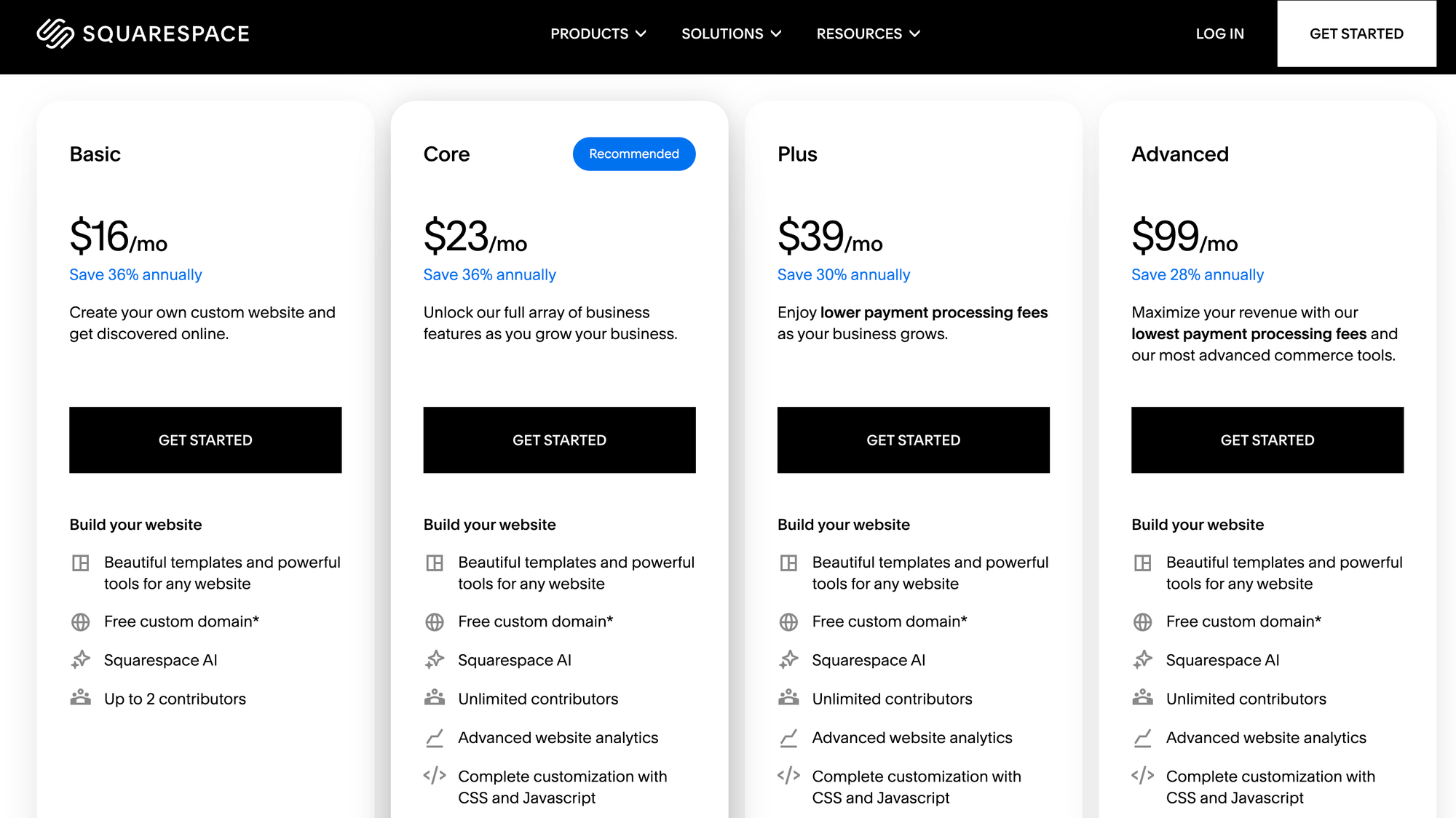
Squarespace's Basic plan now includes e-commerce.
The old Personal plan couldn't sell products at all. Now you can sell on Basic, but you'll pay a 2% transaction fee plus a 7% fee on digital products.
For a business doing $1,000/month in sales, that's $20-70 in fees you'd avoid by upgrading to Core ($23/mo). You're better off choosing the Core plan.
This is the biggest gap between these two platforms, and it hasn't changed in 2026.
Squarespace offers ~160 templates, and nearly all of them look like they were designed by an actual design agency. Clean typography, generous whitespace, intentional layouts. You pick a template, swap in your content, and it looks professional without touching a single design setting.
Wix offers 900+ templates, but quality varies wildly (see our full Wix review for more detail). Some look modern. Others look like they were designed in 2018 and never updated. You'll spend more time filtering through options to find a good one.
Here's what most comparisons miss.
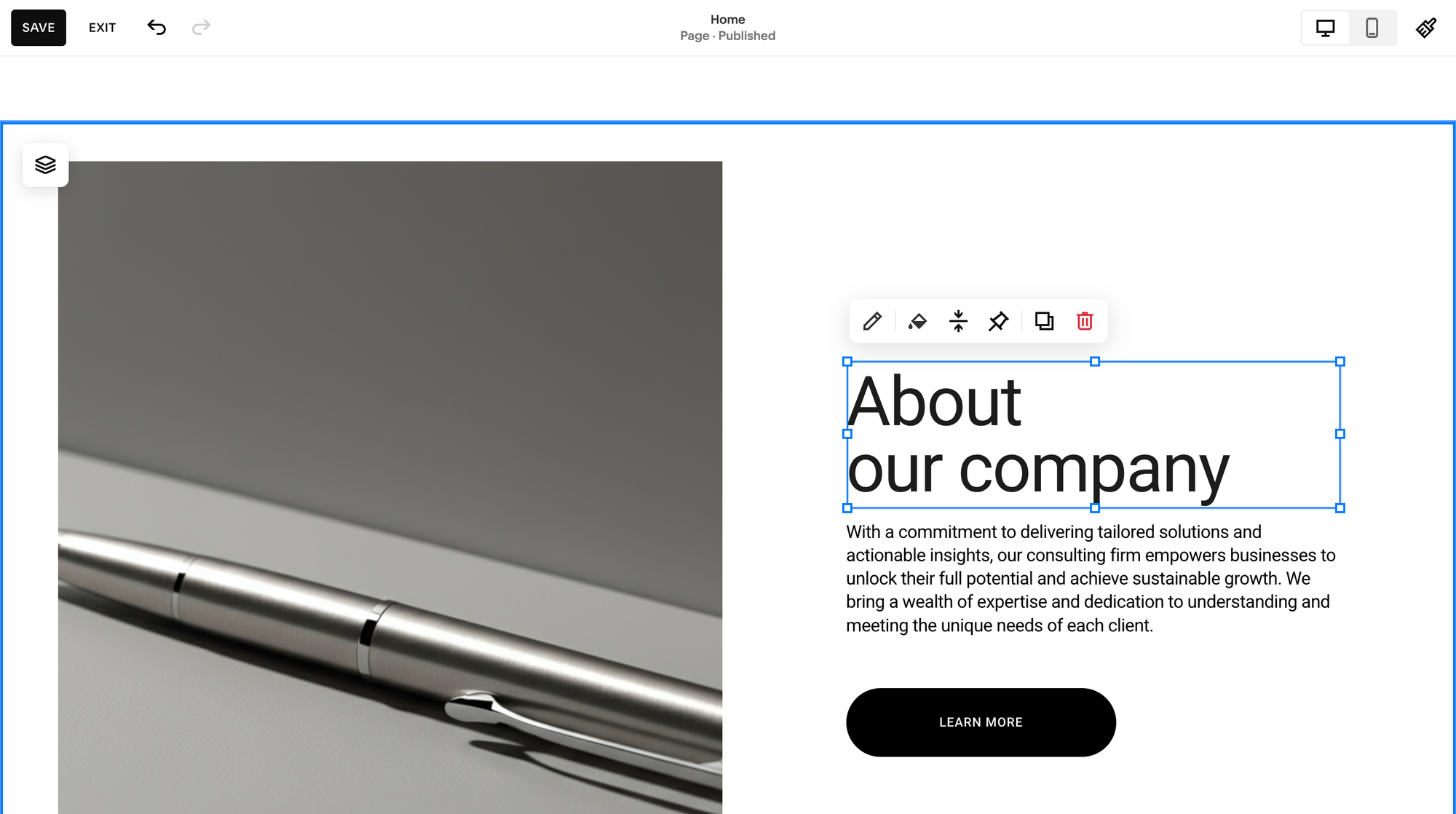
Squarespace uses a structured grid system (the Fluid Engine). Every element snaps into a defined layout grid. This means your site will look consistent across pages, and it automatically adapts to mobile screens. The tradeoff: you can't place an element anywhere you want with pixel-perfect control.
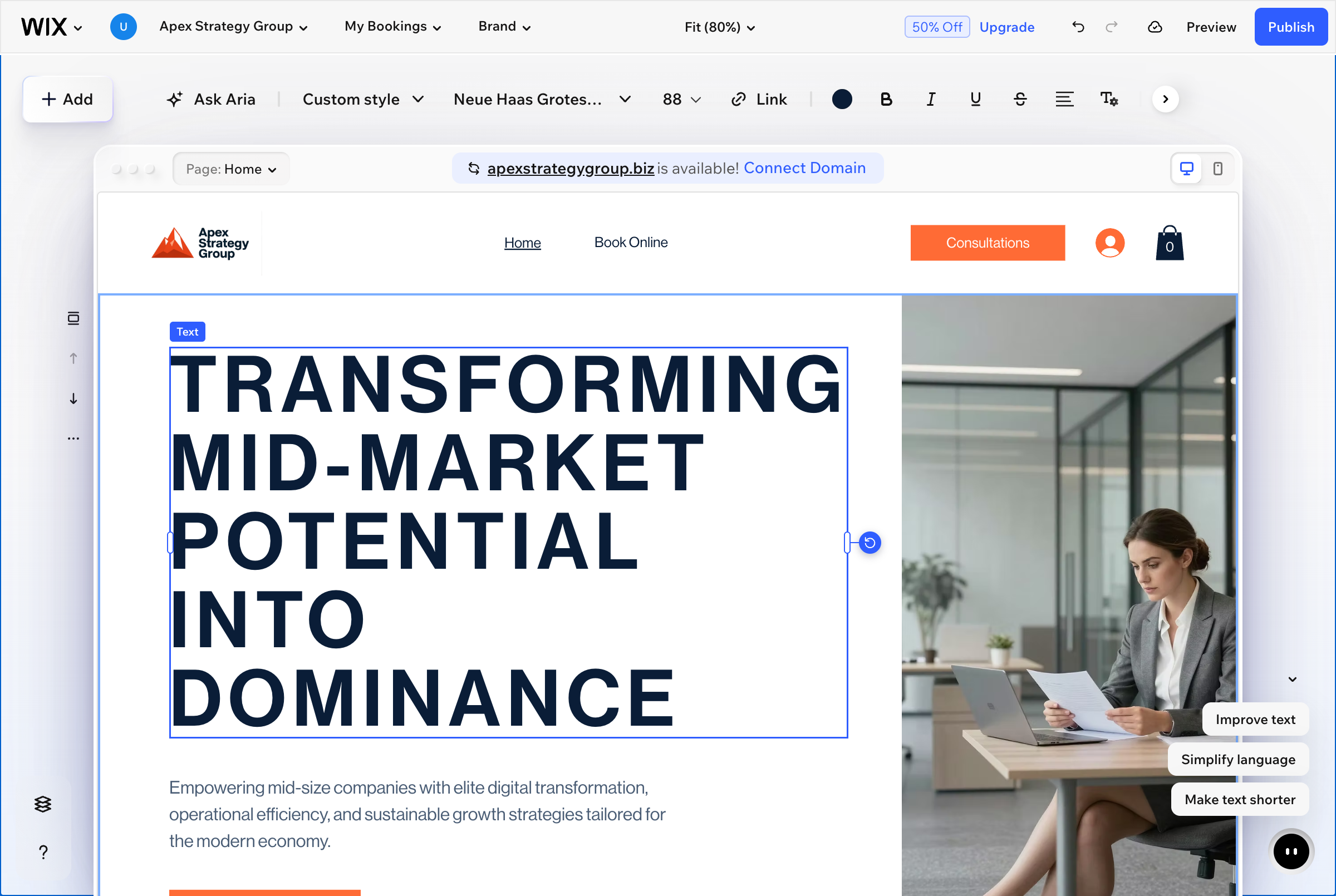
Wix uses a freeform drag-and-drop editor. You can place anything anywhere on the page. Total freedom. But that freedom creates problems: elements overlap, spacing becomes inconsistent, and critically, changes you make on desktop don't always translate cleanly to mobile. You often need to manually adjust the mobile layout separately.
My testing note: When I built the same one-page business site (hero section, about, services, contact form) on both platforms, the Squarespace version looked polished in 45 minutes. The Wix version took about 70 minutes because I kept tweaking spacing and realigning elements on the mobile view.
One thing Squarespace changed (and Wix hasn't): Squarespace now lets you redesign your site without losing content. Since all templates share the same underlying structure, you can overhaul your site's look while keeping your pages, blog posts, and products intact.
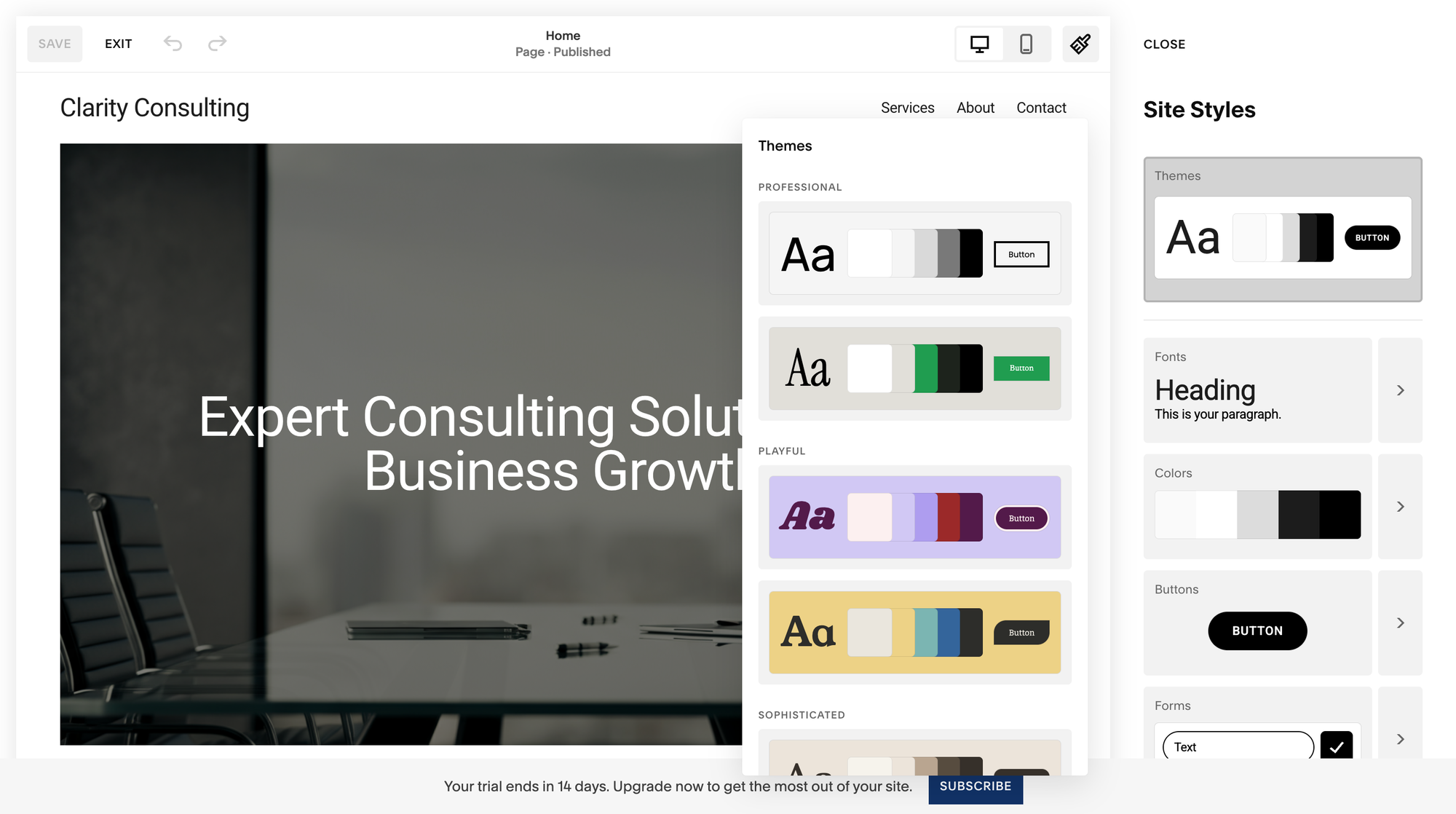
Wix still locks you into your template choice. If you want a fundamentally different design after launching, you're rebuilding from scratch.
Wix is far ahead when it comes to incorporating into their website building experience.
Wix has been building AI into its platform since 2016 (starting with ADI — Artificial Design Intelligence). This year, Wix offers 15+ AI tools including:
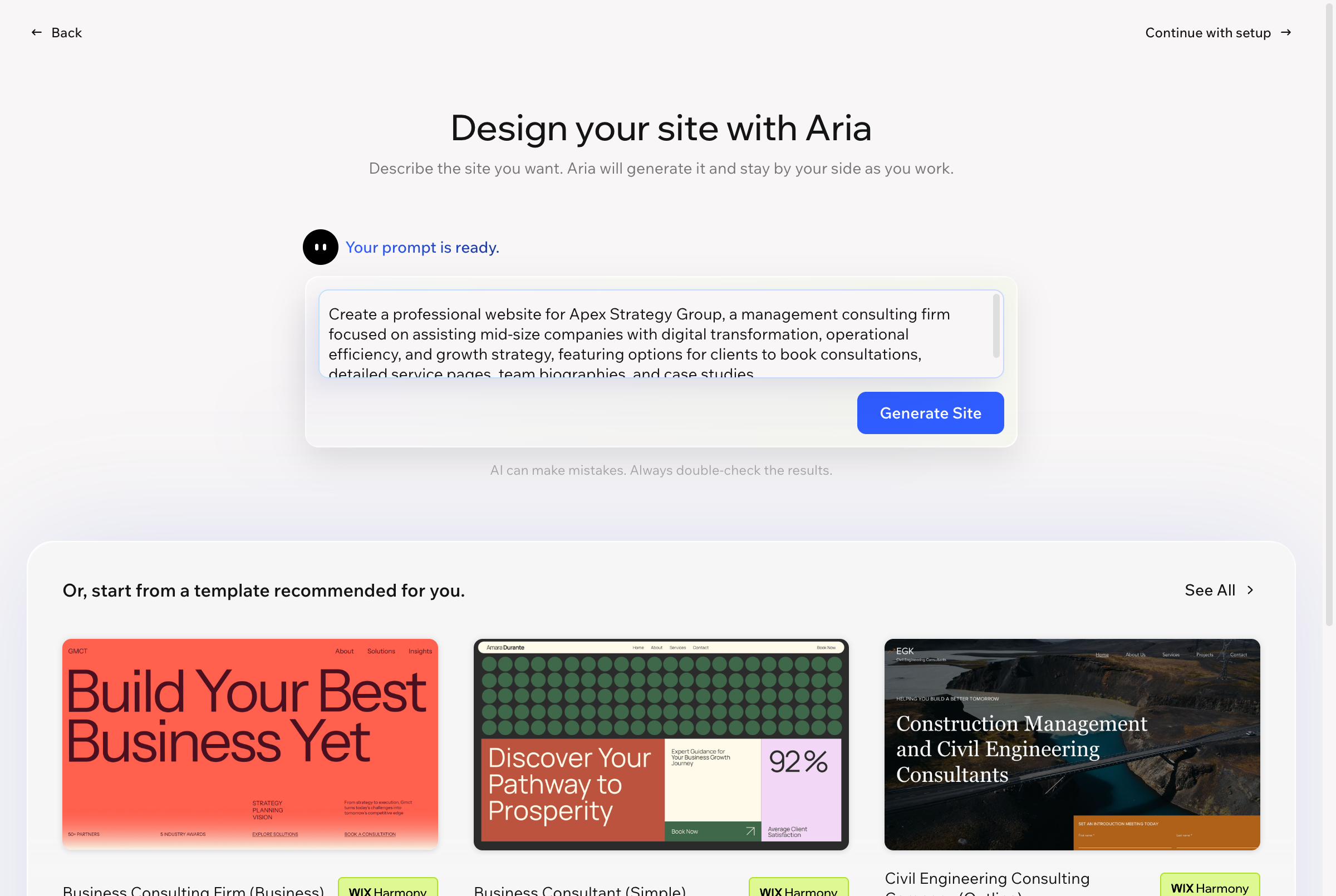
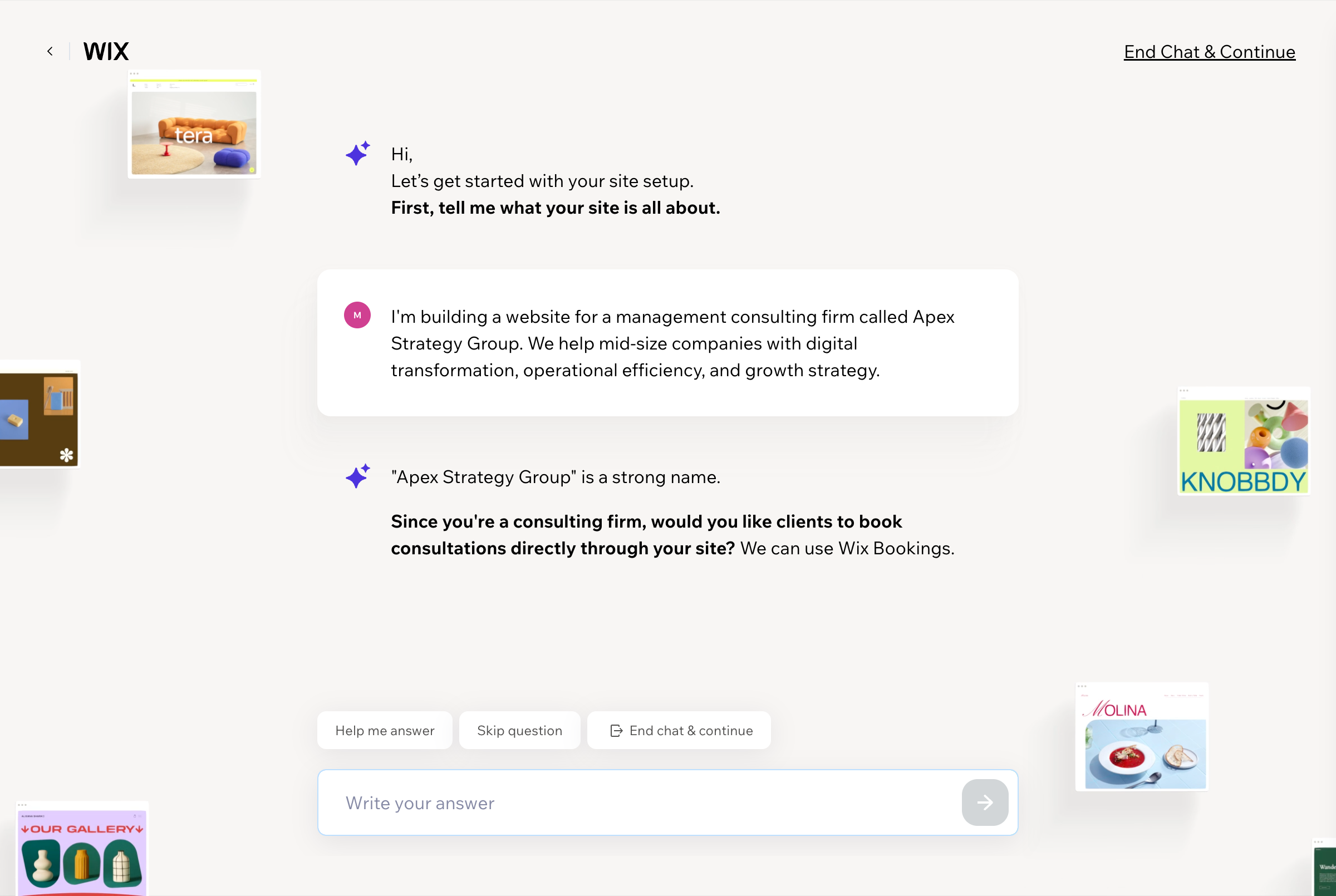
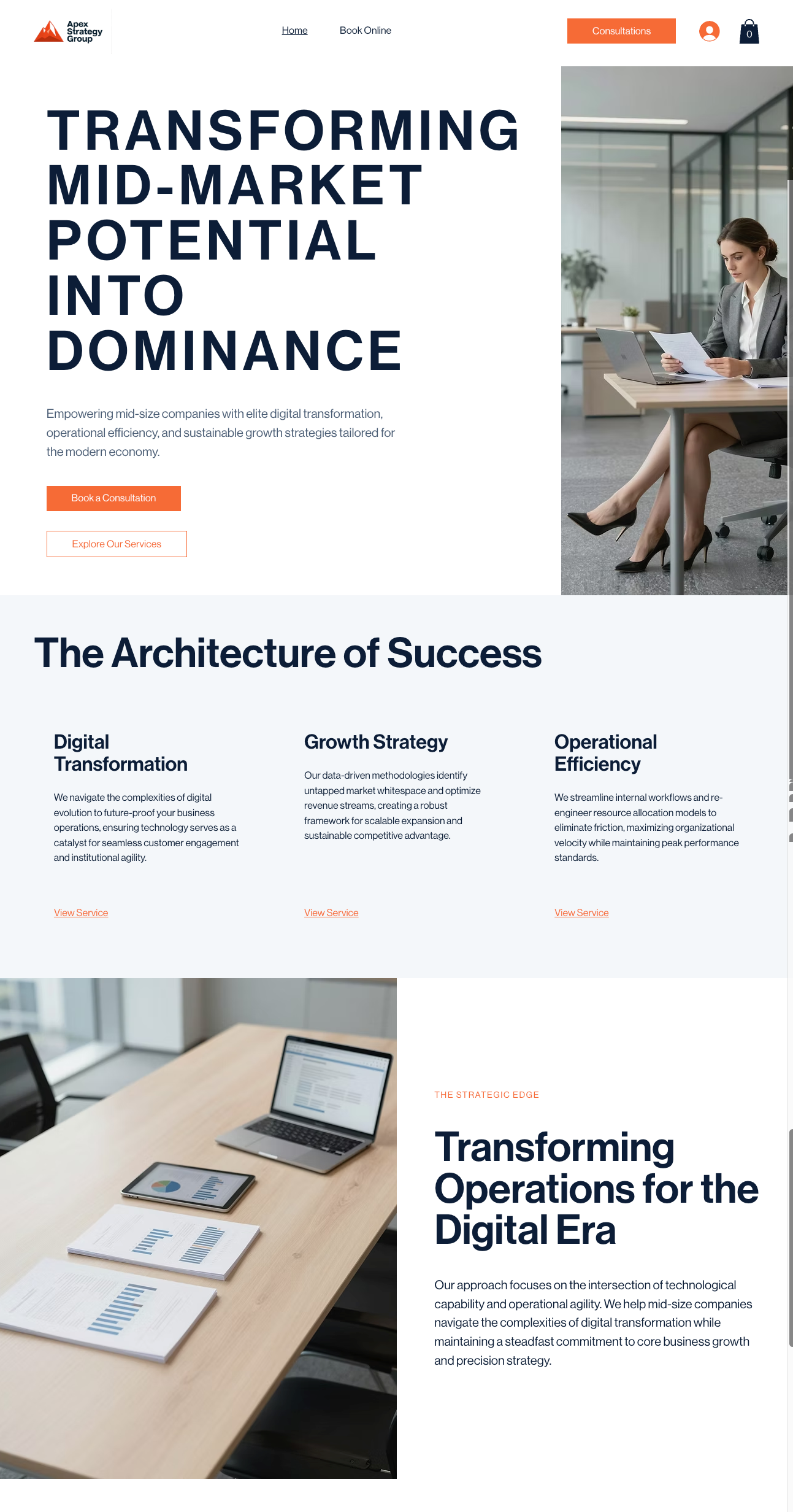
Here's what the finished site looks like:
Squarespace, on the other hand, launched its first AI features in 2024 and is still catching up. You get AI-assisted text generation (Squarespace AI) that can write and rewrite copy within text blocks, but there's no AI site generator, no AI image tools, and no AI section builder.
The honest take: Wix's AI builder is impressive for getting a first draft up quickly. But the sites it generates still need significant manual refinement to look truly polished. If you're comfortable spending 2-3 hours customizing after the AI generates the initial site, Wix's AI saves real time. If you want to start from a curated, designer-quality template and work from there, Squarespace's approach (fewer AI shortcuts, better starting templates) may actually get you to a better result faster.
Here's the AI-generated site from Squarespace:

Neither platform is Shopify, but both can handle small-to-medium online stores. The details matter here.
Wix integrates with 90+ payment processors. If you need a specific local payment gateway (especially outside the US), Wix likely supports it.
Squarespace integrates with three: Stripe, PayPal, and Square. That's it. For most US and European businesses, these three cover the bases. But if you need iDEAL (Netherlands), Boleto (Brazil), or another regional processor, Squarespace can't help.
| Platform | Plan | Transaction Fee |
|---|---|---|
| Wix | All paid plans | 0% (gateway fees still apply) |
| Squarespace Basic | $16/mo | 2% + gateway fees |
| Squarespace Core | $23/mo | 0% + gateway fees |
| Squarespace Plus | $39/mo | 0% + lower gateway rates (2.7% + $0.30) |
Wix charges zero transaction fees on all paid plans. Squarespace charges 2% on its Basic plan, which stacks on top of Stripe/PayPal's own processing fees. Move to Core ($23/mo) and that Squarespace surcharge disappears.
Both platforms handle physical products, digital downloads, services, and gift cards. Squarespace edges ahead on subscription products (available on Advanced at $99/mo) and abandoned cart recovery (also Advanced only). Wix offers abandoned cart emails on its Business plan ($39/mo) which is significantly cheaper.
If you're doing more than $2,000/month in revenue and losing sales to abandoned carts, Wix's $39/mo Business plan saves you money versus Squarespace's $99/mo Advanced plan for equivalent functionality.
If blogging is a core part of your site, Squarespace has a meaningful advantage:
Wix has blogging, but it's more basic. You get posts, categories, and scheduling, but the editor feels secondary to the rest of the platform. Wix also requires readers to create a Wix account to leave comments, an unnecessary friction point that Squarespace avoids.
Both platforms cover the SEO basics: custom page titles, meta descriptions, alt text, clean URLs, XML sitemaps, and SSL certificates.
Where Wix edges ahead:
Where Squarespace edges ahead:
For most small business sites, both platforms are "good enough" for SEO. The ranking factors that matter most: content quality, backlinks, and user experience.
For more on how each platform handles SEO specifically, see our comparison of the best website builders for SEO.
A slow site hurts SEO. Here's what the latest site speed data shows:
| Metric | Squarespace | Wix |
|---|---|---|
| Largest Contentful Paint (LCP) | 3.6s average | 6.8s average |
| Interaction to Next Paint (INP) | 95.85% good | 86.82% good |
| Overall Core Web Vitals | 67.66% good | 70.76% good |
Squarespace pages load their main content nearly twice as fast as Wix. Users can interact with Squarespace sites more responsively. But Wix achieves slightly better scores on the overall Core Web Vitals composite metric (which includes layout stability).
Takeaway: Squarespace sites feel faster to visitors. The LCP and INP metrics affect what users actually perceive, both of which favor Squarespace significantly.
Why this happens: Squarespace uses CDN technology aggressively and generates cleaner, lighter page code. Wix's freeform editor produces heavier page structures with more JavaScript. If you add several Wix apps to your site, expect performance to drop further.
Wix: 500+ apps in the Wix App Market. Booking systems, restaurant menus, hotel reservations, event calendars, forums, chat widgets, loyalty programs. If you need it, there's probably an app.
Squarespace: ~36 extensions. Squarespace's extension marketplace is tiny by comparison. You get the essentials (Mailchimp, Google Workspace, scheduling via Acuity), but if you need a specialized integration, you'll likely need to use code injection or a third-party embed.
This is one of Wix's clearest advantages. If your site needs features beyond the basics like member forums, appointment booking with specific requirements, multi-language support, Wix's app ecosystem gives you far more options without touching code.
Wix has built-in multilingual support. Add languages directly in the editor, manage translations inline, and choose your URL structure (/fr/, /es/, etc.).
Squarespace requires Weglot ($15+/month as a separate subscription) or manual duplication of every page. For a 10-page site in 3 languages, that's 30 pages to maintain. Wix handles this natively and far more elegantly.
After testing both platforms extensively, I've found that asking these three questions will help you decide which is more suitable for your needs:
Yes, but it's manual. Neither platform offers a direct migration tool. You'll need to export your content and rebuild on the new platform. Blog posts can be exported/imported via RSS or XML, but page layouts, design settings, and product catalogs will need to be recreated. Budget 4-8 hours for a typical 10-page site.
Squarespace. This is a reversal from a few years ago. Squarespace used to have a steeper learning curve. The Fluid Engine editor and simplified plan structure have closed that gap. Squarespace's structured approach actually helps beginners by preventing the layout chaos that Wix's freeform editor can create. If you've ever looked at a word processor and felt overwhelmed, check out our list of the easiest website builders for beginners.
Both offer email and chat support. Wix also has phone support and a more extensive library of video tutorials. Squarespace's support is generally praised for faster response times and more knowledgeable agents, but you won't find phone support. If phone support matters to you, Wix wins.
The free plan exists and works, but your site will have a Wix-branded URL (not your own domain) and display Wix ads. For a personal project or testing, it's fine. For a business, you'll want a paid plan ($17+/mo) to remove branding and use a custom domain.
David Nge is the founder and writer behind MakingThatWebsite.com. Since launching in 2021, he’s been on a mission to help non-techies—especially small business owners—build better websites using easy-to-learn tools and smart, time-saving strategies. He specializes in website builders, SEO, and practical AI tutorials for small business owners.
Have a tutorial you want to learn? Leave a suggestion here.